Donor Features
- Create and manage donation requests from a protected dashboard.
- Track request status and update outcomes when a donation workflow progresses.
Blood Donation Management System
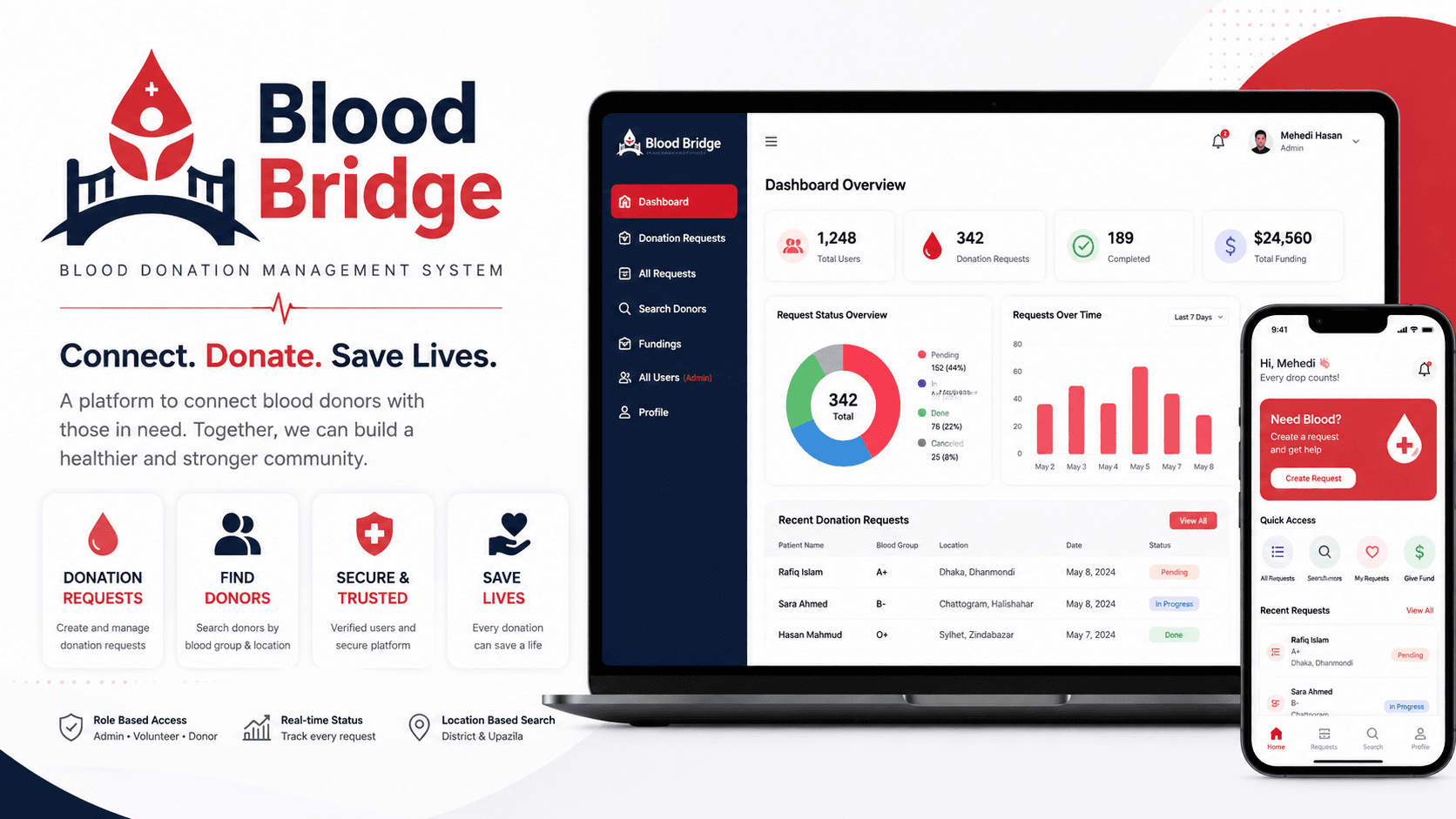
A blood donation platform connecting donors and recipients through request management, donor search, protected dashboards, and role-based operations.
 Live
LiveOverview
Blood Bridge is a MERN-style donation platform for creating, managing, and discovering blood donation requests. It combines public donor discovery with authenticated dashboards for donors, volunteers, and admins.
Problem / Purpose
The project was built to make blood donation coordination more organized. Instead of relying on scattered posts or manual contact lists, users can create requests, search donors by location and blood group, and manage request status in one system.
Key Features
Tech Stack
Architecture / How It Works
Blood Bridge uses a React client with protected dashboard routes and an Express API that verifies Firebase identity before allowing role-specific actions.
Users authenticate through Firebase, and protected API calls are verified on the server before accessing private resources.
Donors create requests, users inspect pending requests, and request state changes as donors or volunteers update progress.
Admins, volunteers, and donors see different dashboard surfaces based on their role and permissions.
Search combines blood group and Bangladesh location filters so users can find relevant donors faster.
Screenshots / Visual Walkthrough
Request screens keep recipient details, location, blood group, and status visible.
Search flows help users filter possible donors by blood group and location.
Role-based dashboard views organize requests, user actions, and key statistics.
Admin screens support role changes, user blocking, and request oversight.
Challenges & Solutions
Challenge
Managing different permissions across admin, volunteer, and donor roles.
Solution
I separated route access and dashboard behavior by role so each user only sees the actions they should control.
Challenge
Keeping donation request status understandable.
Solution
The request lifecycle was modeled around clear states so users can tell whether a request is pending, in progress, or completed.
Challenge
Making donor search practical for local use.
Solution
I used blood group and district/upazila filters to make search more useful for real-world matching.
What I Learned
Final Links / CTA
Open the live product, review the repository, or return to the full projects archive.